All apps › Cause & Effect Live! · Early Learning Live! · Hand Eye Skills Live!
Build It
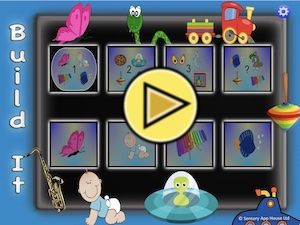
Choose from the 16 Build It scenes, and the background will load.
The app opens full screen in a new tab. Press Esc or the X button to leave full screen. Install it on your device to run offline.
How to use
Choose from the 16 Build It scenes, and the background will load. Once each activity has loaded, the blue (left hand) switch icon will pop up. Tapping this switch icon, or pressing the connected switch, pressing space bar or number 1, or A on the Adaptive/Xbox controller will start the activity. Press the switch again to move to the next activity. If using on a tablet or phone, we suggest using the landscape orientation.
Build It has a switch settings button on the home screen, which defaults to single (blue) switch mode. It is possible to select two switches (blue and red) which alternate, or two switches with a random presentation.
Access and control
Sensory apps respond to touch and mouse, and most also work with an external keyboard, Bluetooth access switches, the Xbox controller and the Microsoft Adaptive Controller. Read more about switch access.
Also available
Many Sensory apps are also on the app stores, free or low cost: App Store · Google Play · Microsoft Store · Mac App Store.
 3D Snake
 Alphabet Paint
 AlphaDrop
 Aqua
 Arachne
 Bounce