All apps › Games Live! · Voice & Speech Live!
SpeakStick
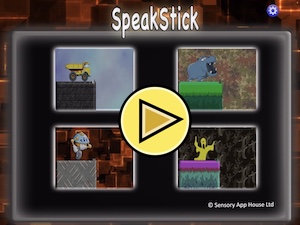
SpeakStick can be used for helping young people with coordination and speech development by linking switch press or sounds to visual changes – in this case growing the sticks to make a bridge and allowing the character across.
The app opens full screen in a new tab. Press Esc or the X button to leave full screen. Install it on your device to run offline.
This app uses your device microphone. Your browser will ask permission the first time. Nothing is recorded or sent anywhere.
How to use
SpeakStick can be used for helping young people with coordination and speech development by linking switch press or sounds to visual changes – in this case growing the sticks to make a bridge and allowing the character across. It is ideal as a cause and effect type tool, and use in a Sensory Room environment. The Sound Settings can adjust for the sound level, the frequency range or fricatives only (zzz, shh etc). The default Setting is for Switch use only. To set up for speech input choose the Settings button, and select the sound range, frequency range or fricatives sounds.
SpeakStick supports sound input via microphone, touch tap, keyboard input, bluetooth switch, Microsoft Adaptive Controller and XBox Controller.
Sensory SpeakStick contains no adverts on requires no end user login. This app does not collect any face, audio or other data, and does not request access to camera. It does require access to microphone but no sounds are recorded.
Access and control
Sensory apps respond to touch and mouse, and most also work with an external keyboard, Bluetooth access switches, the Xbox controller and the Microsoft Adaptive Controller. Read more about switch access.
Also available
Many Sensory apps are also on the app stores, free or low cost: App Store · Google Play · Microsoft Store · Mac App Store.
 AlphaDrop
 Bounce
 Bounce Too
 CineVox
 Circula
 PinBol