All apps › Cause & Effect Live! · Early Learning Live! · Hand Eye Skills Live!
Splatter
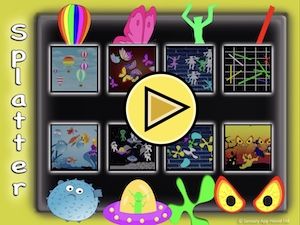
A fun app for young learners. By tapping or clicking you can splat images all over the screen.
The app opens full screen in a new tab. Press Esc or the X button to leave full screen. Install it on your device to run offline.
How to use
Choose from the 8 Splatter scenes, and the background will load. Tap or click anywhere and a character or blob will appear. Make sure the sound is turned up as well, to hear the splat noise. You can change the background with the silver button. Instead of tap or click, you can use keyboard control (or bluetooth switch). Keyboard characters 1,2,3,4 and Space Bar will splat in different places on the screen. + and – keys will choose the next background.
Splatter can also be controlled with an XBox controller and the Microsoft Adaptive controller as follows. The D-pad allows you to select the scene, and then allows you to move a target around the splat zone. A & B buttons splat, with X & Y adding more random splatting. Use the View and List button to control the display. If using on a tablet or phone, we suggest using the landscape orientation.
Access and control
Sensory apps respond to touch and mouse, and most also work with an external keyboard, Bluetooth access switches, the Xbox controller and the Microsoft Adaptive Controller. Read more about switch access.
Also available
Many Sensory apps are also on the app stores, free or low cost: App Store · Google Play · Microsoft Store · Mac App Store.
 3D Snake
 Alphabet Paint
 AlphaDrop
 Aqua
 Arachne
 Bounce