All apps › Face Control · Games Live! · Hand Eye Skills Live!
Switch Flip
Switch Flip is a switch enabled classic style game, to help develop assistive switch or alternative device usage – and also enjoy a trampolining challenge.
The app opens full screen in a new tab. Press Esc or the X button to leave full screen. Install it on your device to run offline.
How to use
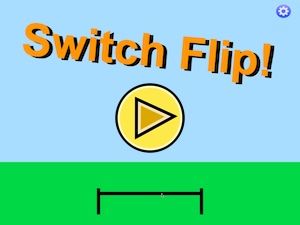
Switch Flip is an accessible bouncing, trampolining Flip game. Touching the screen, or pressing a key or switch will start the stick character spinning. Try land on the trampoline by releasing the key in time.
The trampolining has a detailed scoreboard, counting the amount of single/double/triple flips, and the heights achieved when bouncing. The score can be reset from the settings panel. The settings panel allows the single switch input to be changed between a “Tap” mode and a “Press/Hold” mode which can be helpful for a user. You can also mute the sounds and change the flipping speed to up the challenge. This game could be used by two people controlling the bouncer.
The Switch Flip activity screen can be controlled by an external keyboard a single external bluetooth access switch, as well as by mouse/pointing device, XBox Controller, Microsoft Adaptive controller. The app settings have two main actions, of “Tap” and “Press/Hold”. The default is tap, which means a tap will start the flipping. Another tap will stop it. The Press/Hold will start the character flipping for as long as the key is down. Some bluetooth switches do not flag when the switch is released, so multiple presses are needed. The Microsoft Adaptive Controller built in switches do work well with Flip Press/Hold mode.
We have created a version of Switch Flip with the addition of Face Control. Face control will uses the built-in web cam. The flip character can do somersaults or spins on the trampoline using gentle head movement, in addition to any switch or keyboard controls.
Access and control
Sensory apps respond to touch and mouse, and most also work with an external keyboard, Bluetooth access switches, the Xbox controller and the Microsoft Adaptive Controller. Read more about switch access.
Also available
Many Sensory apps are also on the app stores, free or low cost: App Store · Google Play · Microsoft Store · Mac App Store.
 3D Snake
 Arachne
 Bounce
 Bounce Too
 Build It
 Circula