All apps › Face Control · Games Live! · Hand Eye Skills Live!
Switch Pong
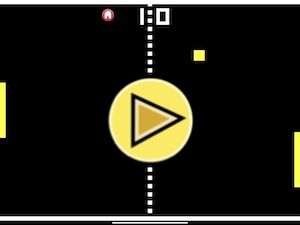
Switch Pong is a highly accessible version of this classic tennis game. Table tennis, ping pong, paddle, tennis all feature batting the ball.
The app opens full screen in a new tab. Press Esc or the X button to leave full screen. Install it on your device to run offline.
How to use
This is a Ping Pong tennis game, where the first to 9 points wins the game. Switch Pong allows the game to be controlled by touch/tap, pointing device, bluetooth access switches, external bluetooth keyboard, Microsoft Adaptive Controller or XBox Controller.
This app can also be controlled using devices such as the AbleNet Blue2 MFI bluetooth switch or RJ Cooper bluetooth small switches (more options are available).
There is a demo mode, a bat practice mode, single player and double player options. There are settings to control the bat size, ball size and ball speed – you can also turn on or off the ping sounds.
Switch Pong has settings for a single or two switches, and also settings for Tap to change direction and “Press Hold” to move and stop the paddles. Please note that not all switches have a “press and hold” function, but the Microsoft Adaptive Controller/ XBox Controller and a standard keyboard do have this capability.
We have created a version of Switch Pong with the addition of Face Control. Face control uses the built-in web cam. The Pong paddle bar can be moved up or down with head movement, in addition to any switch or keyboard controls.
Access and control
Sensory apps respond to touch and mouse, and most also work with an external keyboard, Bluetooth access switches, the Xbox controller and the Microsoft Adaptive Controller. Read more about switch access.
Also available
Many Sensory apps are also on the app stores, free or low cost: App Store · Google Play · Microsoft Store · Mac App Store.
 3D Snake
 Arachne
 Bounce
 Bounce Too
 Build It
 Circula